
This article provides general business and accounting information. Examples are illustrative. Actual accounting, tax, legal and compliance treatment depends on the facts, entity type and provisions applicable to the relevant period.
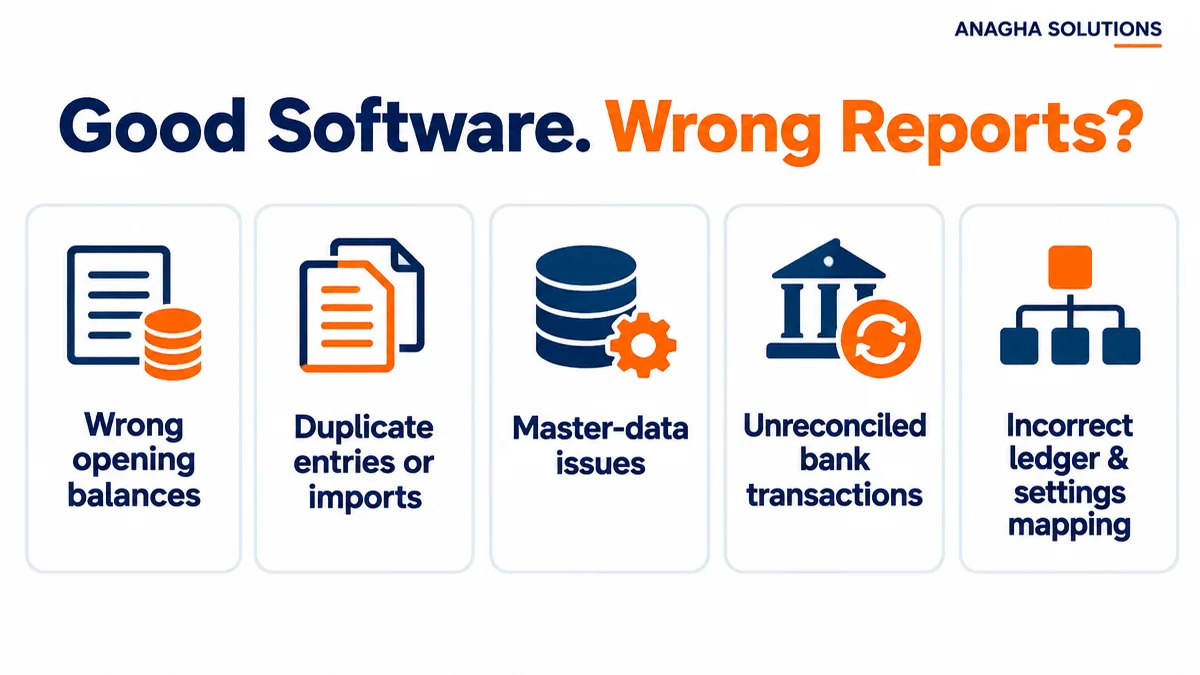
The dashboard looks professional. The stock figure does not match the shelves. A customer appears overdue after paying, and profit changes when someone imports a file again.
Before buying another subscription, trace where the numbers came from.
Check the starting point
Opening customer, supplier, stock, bank and other balances must reconcile with the agreed previous records. A new system can process fresh entries correctly while carrying an old difference into every report.
Then inspect master data: duplicate parties, inconsistent item units, missing branch codes and inappropriate ledger mapping can distort otherwise complete transaction lists. Software settings do not decide the correct tax treatment by themselves.
Follow one transaction all the way through
Choose a sale and check its invoice, stock movement where applicable, customer ledger, receipt and bank reconciliation. Repeat for a purchase and a return. Check whether cancellations, credit notes and partial payments are handled consistently.
In a fictional migration, importing ₹2 lakh of invoices twice overstates sales by ₹2 lakh. The dashboard may calculate perfectly from duplicated input. Repeating the import until totals look right is not a reliable correction method.
Plan a controlled changeover
Agree a cut-off date, preserve source exports and backups, map fields, run a small trial and reconcile totals before importing the full data set. Record rejected rows and unresolved differences. Check balances and transaction detail, not only the grand total. Use a process that prevents accidental repeat imports or detects them clearly.
Define which reports the owner needs before evaluating another product. Check user permissions, business-controlled administrator access, audit trail, exportability, backup/recovery, support and relevant integrations. Verify the actual version and features; do not assume a product can migrate every kind of voucher or attached document.
Sometimes the software needs changing. Sometimes the team needs a better setup, a documented workflow or training. Establish which before paying twice.
Editorial context
Editorial note: original vendor-neutral implementation guidance. It does not certify any software product's security, compliance or features.
If your software reports do not match the business reality, discuss an accounting setup, reconciliation or migration review with Anagha Solutions.
Discuss with Anagha SolutionsDiscuss your requirements
Please do not share passwords, OTPs, bank credentials or sensitive financial documents.